NTA has released the CUET UG Admit Card 2026 on June 2, 2026. Get the direct download link, re-scheduled exam dates (June 6-7, 2026), and detailed step-by-step guide here.
National Testing Agency (NTA) ne Common University Admission Test (CUET) UG 2026 re-scheduled exams ke liye admit card 2 June 2026 ko live kar diya hai. Agar aapka exam technical issues ya kisi aur reason se re-schedule hua tha — and honestly, this is worth knowing — toh aapka paper ab 6 and 7 June 2026 ko conduct kiya jayega. Right, so ab time waste bilkul mat karo aur directly login karke apna hall ticket print kar lo before the servers start crawling.
Many students were waiting for this update since the main exam cycle concluded on 31 May 2026. NTA ne 2 June ko late evening ko link active kiya hai. Is post mein hum aapko step-by-step batayenge ki admit card kaise download karna hai aur exam center par kin baato ka dhyan rakhna hai. For instant updates on mobile, join the Result Guru Telegram Channel.
Remember, bina admit card aur valid ID proof ke aapko entry nahi milegi. So, let us get straight to the facts and process so you can secure your entry into top central universities like Delhi University (DU), Banaras Hindu University (BHU), and Jawaharlal Nehru University (JNU).
CUET UG 2026 Admit Card for re-scheduled exams was officially released on June 2, 2026.
Re-scheduled exam dates are June 6 and June 7, 2026.
Login credentials required: Application Number and Date of Birth (DOB).
Carry a printed copy of your admit card, a valid government ID proof, and passport-size photographs to the exam center.
Keep visiting Result Guru for real-time updates and direct download links.
Look — Honestly, is exam ka scale itna bada hai ki thode bohot re-scheduling issues expected the. NTA har saal lakhs of candidates ke liye ye national-level test conduct karta hai.
Niche diye gaye table mein highlights check karein:
Exam Parameter | Details |
|---|---|
Exam Conducting Body | National Testing Agency (NTA) |
Exam Name | Common University Entrance Test (CUET UG 2026) |
Admit Card Release Date | 02/06/2026 |
Re-Scheduled Exam Dates | 06-07 June 2026 |
Official Website | cuet.nta.nic.in |
Credentials Needed | Application Number & DOB |
Dates ka dhyan rakhna bohot zaroori hai kyunki NTA timelines ke mamle mein kaafi strict rehta hai. Application process January se shuru ho gayi thi — which surprised a lot of people — aur ab hum final stage par hain. Niche saari important dates detail mein di gayi hain:
Event | Date |
|---|---|
Application Form Start | 03/01/2026 |
Last Date to Apply Online | 04/02/2026 |
Last Date for Fee Payment | 07/02/2026 |
Correction Window Dates | 09-11 February 2026 |
Re-Opened Registration Window | 23-26 February 2026 |
Subject Details Update Window | 17-19 April 2026 |
Original Exam Dates | 11-31 May 2026 |
Admit Card Release (Re-scheduled) | 02/06/2026 |
Re-Scheduled Exam Dates | 06-07 June 2026 |
Result Declaration | Notified Soon |
What nobody tells you is that agar aapne re-open window (23-26 Feb) ya subject update window (17-19 April) miss kar di thi, toh aapka purana data hi final mana gaya hai. Anyhow, ab focus admit card download karne aur exam clear karne par hona chahiye.
Look, admit card download karna mushkil nahi hai, par agar server pe load ho toh website responsive nahi hoti. Isliye step-by-step process ko dhyan se follow karein:
Sabase pehle, official website cuet.nta.nic.in par visit karein. Homepage par aapko 'Download Admit Card' ya login portal ka link dikhega.
Us link par click karte hi ek naya tab open hoga jo aapko official exam services page par le jayega.
Apna login portal open hone par, aapko apna Application Number aur Date of Birth (DOB) enter karni hogi. Make sure ki DOB ka format sahi ho (DD/MM/YYYY). Security pin (captcha) ko dhyan se enter karein aur 'Submit' button par click karein.
Submit karne ke baad aapka admit card screen par display ho jayega. Usme di gayi saari details ko verify karein aur top right corner par diye gaye print icon par click karke PDF download kar lein. Ek se zyada copy print kar lena hamesha safer option hota hai.
Alternative methods ki baat karein toh aap DigiLocker app ke through bhi apna credentials enter karke documents access kar sakte hain agar NTA ne use integrate kiya ho. But standard method official website se hi download karna hai.
I'll be real with you, exam ke time portal crash hona ya login credentials bhool jana bohot common hai. Agar aapko login karne mein koi dikkat aa rahi hai, toh ye tips follow karein:
Forgot Registration/Application Number?: Agar aap apna application number bhool gaye hain, toh apne registered email inbox mein 'CUET 2026' ya 'NTA' search karein. Jab aapne form fill kiya tha, tab NTA ne registration details mail kiye the.
Also, check your registered mobile number for SMS alerts.
Server Timeout/Loading Error: Agar page load nahi ho raha, toh continuous refresh mat karte raho. Browser ka cache aur cookies clear karein ya incognito mode (private window) try karein. Agar phir bhi error aaye, toh late night ya early morning download karne ki koshish karein jab server load kam hota hai.
Incorrect DOB Format: Kai baar portal standard calendar select karne ko bolta hai. Manual typing ke bajay calendar popup se hi date, month, aur year select karein taaki format match ho sake.
Photo or Signature Missing on Admit Card: Agar download karne ke baad aapki photo ya signature blank aa raha hai, toh bina delay kiye NTA helpline mail ID par contact karein. Center par aisi issues ke chalte entry roki ja sakti hai.
Admit card download karne ke baad use fold karke file mein rakhne ki galti mat karna. Pehle ye ensure karein ki usme saari information bilkul accurate hai. Agar koi discrepancy hai, toh immediate action lena padega.
Candidate's Name: Aapki spelling exact wahi honi chahiye jo aapke 10th/12th certificate aur ID proof par hai.
Roll Number & Application Number: Dono properly visible hone chahiye.
Exam Date & Shift Timings: Check karein ki aapka re-scheduled exam June 6 ko hai ya June 7 ko. Shift timings aur reporting time ko dhyan se note karein.
Subject Codes: Jo subjects aapne select kiye the, kya unhi ke exam codes printed hain? Ye cross-verify karna bohot zaroori hai.
Exam Center Address: Address ko Google Maps par pehle hi search kar lein taaki exam day par location dhoondhne mein pareshani na ho.
Agar koi mistake milti hai, toh NTA ki helpdesk ko mail karein.
Mail mein apna application number, issue ka screenshot, aur correct detail ka proof (jaise class 10 mark sheet) attach karna mat bhoolna.
Every cycle, thousands of candidates show up without a valid ID or wear clothes that violate the dress code. Don't be one of them. NTA in mamlo mein zero-tolerance policy rakhta hai.
Exam center par aapko reporting time se kam se kam 30-45 minutes pehle pahunchna hoga. Gate closure time ke baad kisi bhi condition mein entry nahi di jayegi. Agar gate closing time 9:30 AM hai, toh exact 9:31 AM par bhi entry block ho jayegi.
What to Carry to the Exam Hall:
A clear printed copy of the Admit Card (preferable color print).
A valid Government Photo ID (Aadhaar Card, PAN Card, Voter ID, Driving License, or School/College ID in original). Photocopy nahi chalegi.
One passport-size photograph (same as uploaded on the application form) to be pasted on the attendance sheet.
A simple transparent blue/black ballpoint pen.
A transparent water bottle (optional).
Strictly Prohibited Items: Electronic gadgets jaise mobile phones, smartwatches, calculators, bluetooth devices, earphones bilkul allowed nahi hain. Bag rakhne ki jagah har center par secure nahi hoti, so avoid carrying expensive items. Also, jewelry items (rings, earrings, nose pins, chains) pehnkar na jayein.
Dress Code Guidelines: Light colored clothes pehnein jisme bade buttons na hon. Sleeves half honi chahiye, full sleeves allow nahi hoti.
Footwear mein slippers ya low-heeled sandals pehnein. Thick soles wale shoes pehnkar jaane par entry ke time unhe utarwaya ja sakta hai.
Ab jabki admit card hath mein hai, toh panic karne ki bilkul zaroori nahi hai. Agar aapne already syllabus go-through kiya hai, toh ye last moments revision ke liye hain.
Aap latest syllabus aur pattern ke liye humari website par CUET UG Syllabus aur CUET UG Exam Pattern pages check kar sakte hain. Isse aapko marking scheme aur sections ka clear idea mil jayega. Mock tests practice karna aur previous papers dekhna hamesha edge deta hai, isliye CUET Previous Year Papers par ek baar glance zaroori hai.
Exam ke baad result update ke liye aap CUET UG Result page ko bookmark kar sakte hain. Hum wahan sabse pehle link active karenge. Expected cut-off trends dekhne ke liye CUET Cut Off section zaroori visit karein taaki college selection mein help mile.
One more thing: Exam day se ek din pehle center physical visit kar lena hamesha ek smart decision hota hai. Isse travel time aur route ka exact andaza lag jata hai aur exam morning ko be-wajah ka stress nahi hota. Calm rahein, deep breaths lein, aur fresh mind se exam dene jayein.
Yahan humne saare direct links provide kar diye hain taaki aapko alag-alag portals par bhatakna na pade. Directly links par click karein aur apna kaam complete karein:
Resource / Action | Direct Link |
|---|---|
Download Admit Card (Direct Link) | |
Official NTA CUET Portal | |
Official Notification PDF |
The login portal is currently active and accepting credentials. Download your hall ticket now. Make sure to complete the print process before June 5, 2026, to avoid any last-minute internet issues or website downtime.
Get the latest exam results, admit cards, and job notifications delivered straight to your inbox. No spam, ever.
Senior Content Specialist specializing in state-level recruitment and educational schemes. Dedicated to providing accurate and timely updates to students.
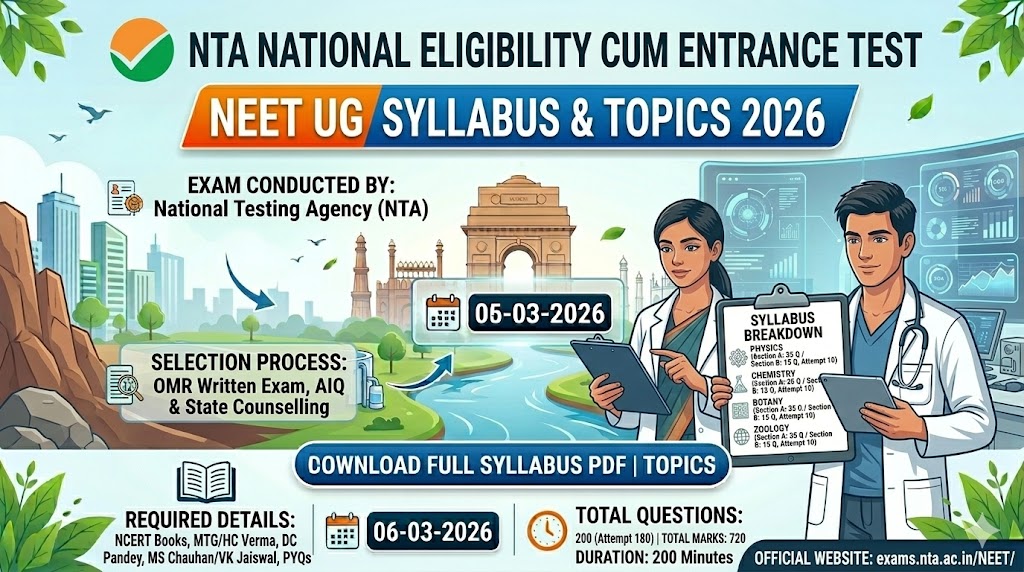
Looking for NTA NEET UG 2026 Syllabus and Apply Online details? Get the complete subject-wise breakdown, exam pattern, and expert preparation tips in Hinglish.